

Computer Office Productivity Skills
Enrollment is currently ongoing for this course. Enroll to join now
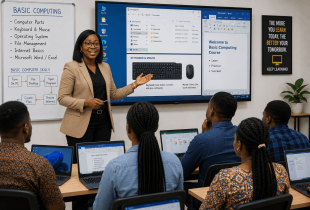
Understand the subject. Build practical ability.
Descriptions
Basic computer knowledge refers to understanding the fundamental components and operations of a computer system, including hardware, software, and basic troubleshooting skills. An individual with basic computer skills should be familiar with using operating systems (like Windows, macOS, or Linux), and be comfortable with basic software applications such as word processors, spreadsheets, and web browsers.
In addition, you should have a basic understanding of file management, including creating, saving, and organizing documents, as well as knowledge of how to navigate the internet and use email. Basic computer skills also involve understanding concepts like networking, cybersecurity fundamentals, and common technical issues, allowing individuals to maintain and secure their personal and work-related systems.
The Career Path in Basic Computer Skills: Growth and Opportunities...
While basic computer skills may not be a specific career path, they are essential for many entry-level roles and serve as a foundation for more advanced technology careers. Some common roles for individuals with strong basic computer skills include:
- Data Entry Clerk: Involves inputting, updating, and managing data in various software applications. This entry-level role requires proficiency with word processing software and spreadsheets.
- Administrative Assistant: Supports office operations by using computers for scheduling, document preparation, email communication, and handling office software tools.
- Customer Service Representative: Uses computer systems to manage customer inquiries, process orders, and access customer data in databases or customer management software.
What you will learn
- Mircosoft word
- Mircosoft Excel
- Mircosoft Powerpoint
- Canva
Course curriculum
Module 1Mircosoft word
Instructor guidance, practical exercises and applied assignments are included in this module.
Module 2Mircosoft Excel
Instructor guidance, practical exercises and applied assignments are included in this module.
Module 3Mircosoft Powerpoint
Instructor guidance, practical exercises and applied assignments are included in this module.
Module 4Canva
Instructor guidance, practical exercises and applied assignments are included in this module.